EasyWorship 8 Beta for Mac and PC
Same issue as previous post. I would love to test EW 8 BETA for my church but I have no facebook account. Can I please get the link?
Now the Intel Mac RC is available I can take a look and report back.
I struggled to transfer the profile from V7 Windows but eventually I asked on FB and discovered that you had to use the V8 transfer program at both ends. That was successful. The conversion of the database took ages - long enough for me to make a cup of coffee. Having got it up and running I found that the profile transfer was very successful and it had transferred all the settings and the database.
Running it to create schedules also went very well and I found that the saved schedule worked in both the source V8 Mac and the live W7 Windows - understanding that the PowerPoint sermon notes had to be loaded afterwards on the Windows machine as expected.
I experimented with a second monitor attached to my Mac and that was less successful. It was reluctant to display the "projection" screen at all - in fact the "Live Output" window was the same. Sometimes it would more to the next item, sometimes it wouldn't. Similarly the "Black" and "Clear" buttons didn't always work. Once I reset the Logo image (that didn't transfer with the profile) I found that it was more reliable than the other buttons. I can probably suppy screen shots if necessary.
Generally the performance was rather sluggish - and this is with a Mac Mini Core i7 maxed out with memory and SSD. If it is slow on that I worry for lesser machines. For reference the OS is fully updated to Sequoia 15.7.4.
Hi, there. Please find attched crash report. Just happened when I loaded EWv8 for Mac (Silicon). Thanks so much.
UPDATE: it's happening whenever I click on the Presentations tab. The program crashes. No further error messages. Thanks.
I Only Use A Windows Machine 64 GB Ram 1TB SSD Hard Drive I-7 Processor, And I Am Not Having Any Problem With With The Presentation Data, And I Am Running Beta 8 (5) Services A Week !!! Plus I Stream With OBS To Facebook And YouTube On Same Computer !!!
Testing the latest Beta 8. Ppt does not live display correctly. (Songs display just fine) size minimized to top left hand corner rather than the full screen. When I shut down 8 and use the latest 7 version everything displays as it should.
I keep getting a prompt when opening EW 8 Beta that there's an update, but when I try and download the update, I get the error: Error downloading update <6>. I'm assuming it's because the update can't be downloaded through the program itself but from a Facebook link, but I just want to make sure this is the case.
Also, when I am adding a new hymn,and I start to add in the hymn's information such as copyright and author. The TAB order that goes from field to field is out of order, AND it skips the song number field altogether. It's the same way in EW 7. Please fix this. The less having to use the mouse and less keystrokes the better, and the less chance of error. thank you.
@Daniel Yes, I have observed that (in EW7) but it doesn't skip Song # altogether. It comes between Title and Reporting Provider.
I have just noticed that EW Helper App (Mac Intel version) uses significant CPU even when the main App is not running. When I first spotted it, it was consuming 42% of one core out of a 6 core i7. Killing it, restarting EW and then quitting EW itself, it is now consuming 15%. What on earth is it doing?
Can we please get a list of changes and new features of EW8 compared to EW7?
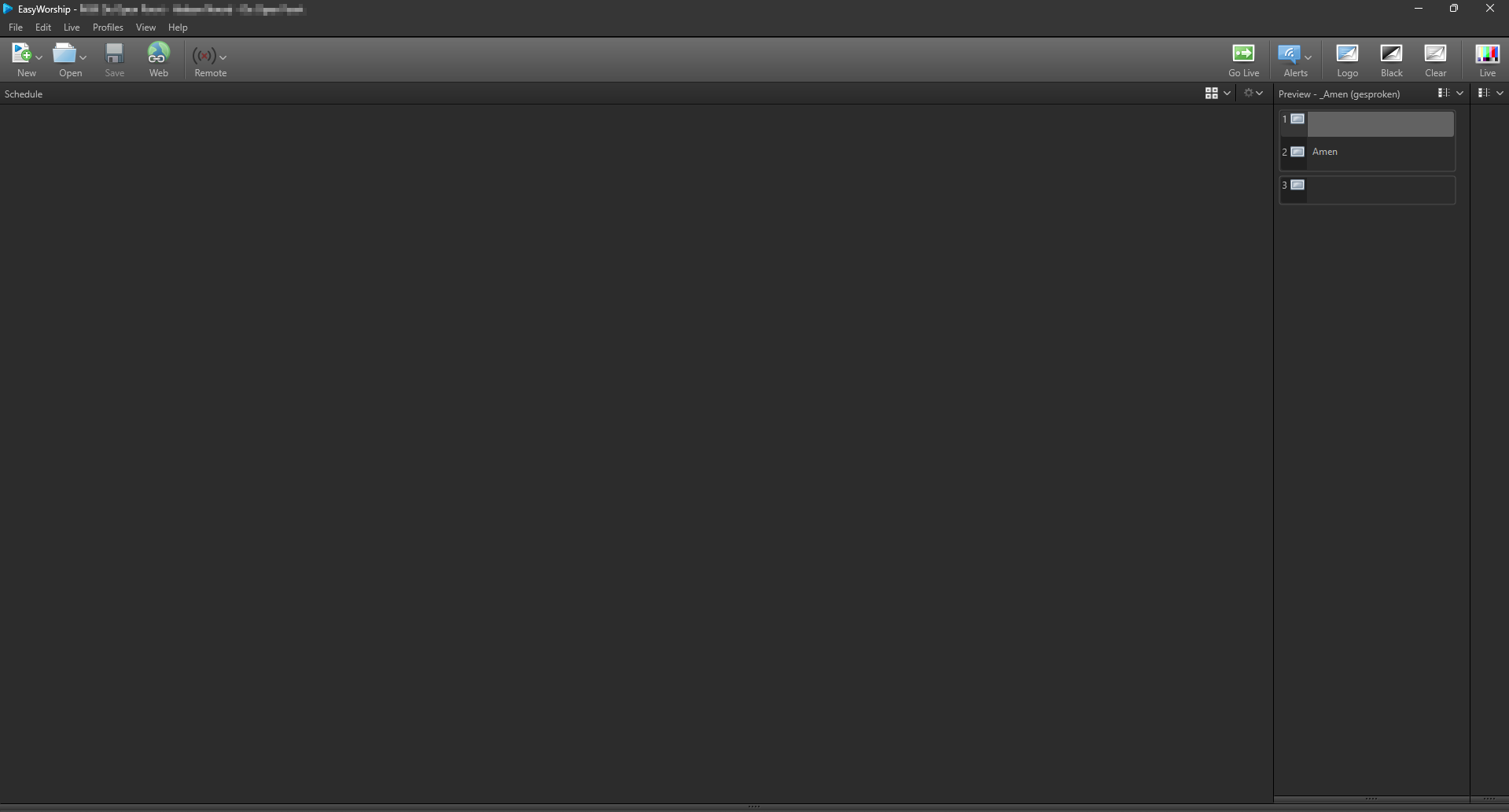
In every Beta and RC of Easy Worship 8, I have the issue that when I start EW, all panels are set like the picture below.
So I need to drag all the panels to the right size to make EW work.
After closing EW and reopening, I have to do everything again. It is quite a nuisenance and makes EW8 not practicaly usefull for testing.
Running Windows 11.
Never had the issue in EW2009, EW6 and in EW7. It started with EW8. I hope this will be fixed. Thanks!
Dan Willard
If you find any bugs, here is the information we need about the bug.
Make sure you can reproduce the bug. We realize that there could be things that only happen once, but usually, those are connected to something else. You are welcome to post about it, but please let us know if it only happened once and you couldn't reproduce it. If you can consistently make something happen that shouldn't happen, or if something doesn't happen that should, please report it as a bug.
If you get a crash report, click on Show Report, then click anywhere in the report and press Ctrl+A, then Ctrl+C, and then paste it into a Notepad (txt) file and save it to attach to your post.
When you post about a bug, please describe in detail how you are reproducing the bug. If you can take a screen recording or a screenshot, or if you have a crash report, please attach those to your post.
We value your input and willingness to try this new version of EasyWorship. Still, we want this thread to be productive and not destructive, so please limit comments to the productivity of making this version ready to release.
As always, this is a BETA version that is not recommended for use in live services.
15 people like this